ST-Link Programming
Beginner
By Danijel Babic on January 5, 2018
Using STM32 ST Link
Contents
- Installation
- Connecting to target
- Programming
- Troubleshooting
Installation
Download STM32 ST-Link utility and install it.
Connecting to target
1. Connect ST-LINK to USB port on PC 5-pin cable to target device.
2. Run STM32 ST-LINK Utility
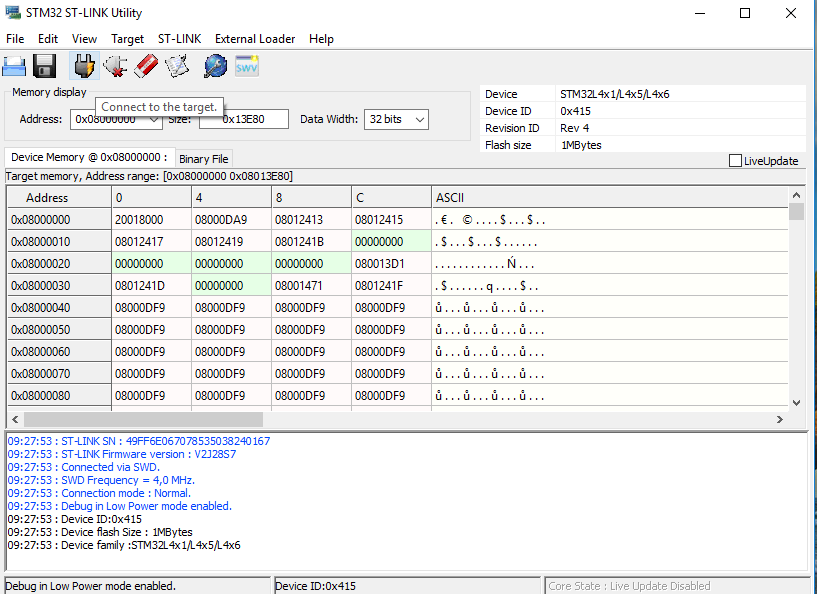
3. Connect to the target by selecting Target -> Connect.
Programming
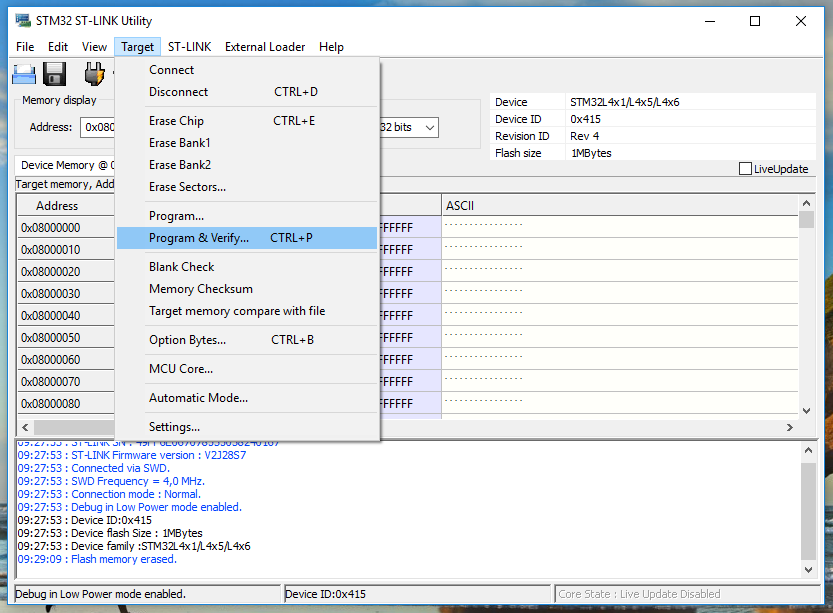
Select Target -> Program &
Verify (CTRL + P) and select appropriate .hex file for the device.

Troubleshooting
Can not connect to target
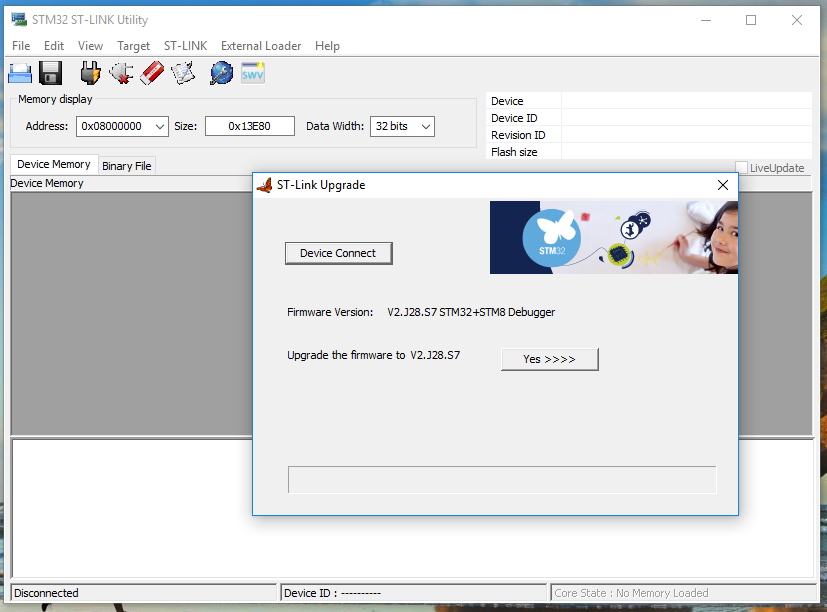
If there is errors like „Can not connect to target!“
Open ST-LINK Utility and go to ST-LINK -> Firmware update and select Yes >>>>.

In case of any other errors try reconnecting ST-LINK.
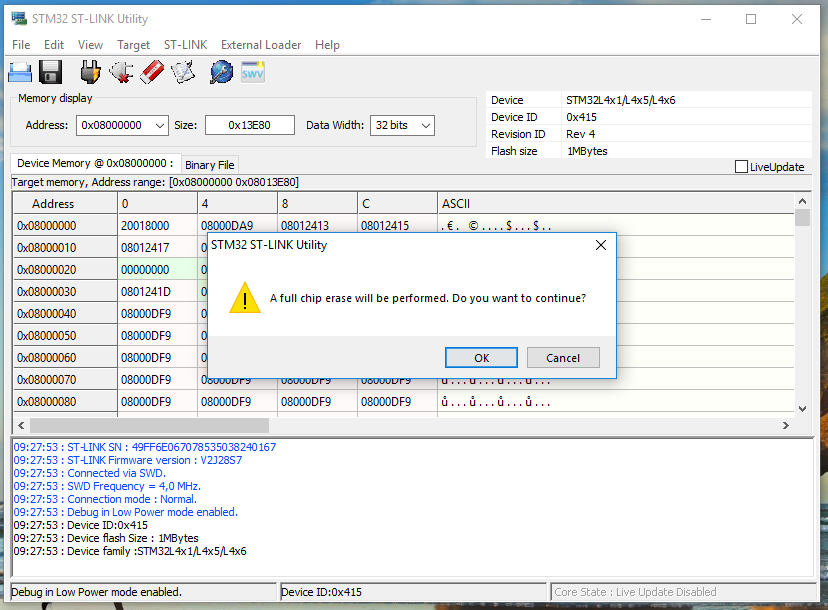
Can't program the device
Open St-Link Utility and go to Target -> Erase Chip (CTRL + E). Click OK and erase the chip.
Comments
No comments yet. Start a new discussion.
Leave a Comment